
MedCallWorkComp1.5.1 - App Store
You'll be able to see results in few seconds.
Publisher Description


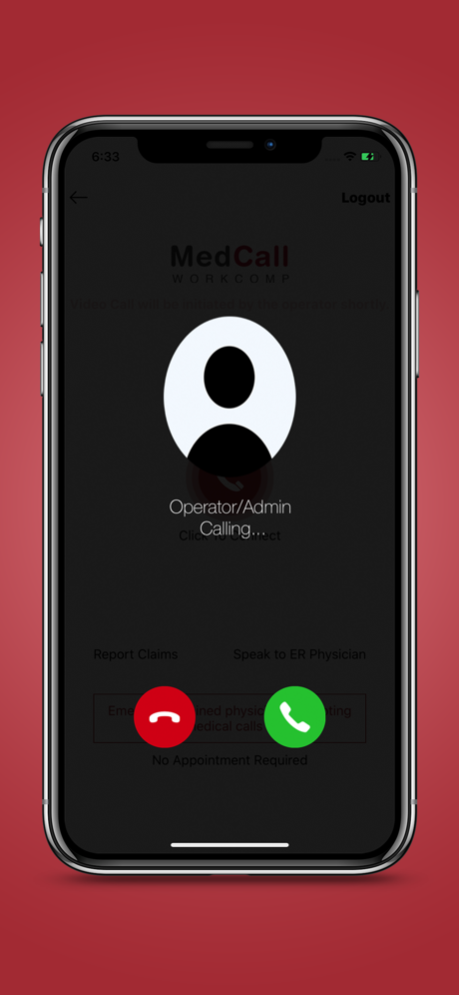
The MedCallWorkComp application is designed to manage workflow and facilitate real time Tele-Emergent medical triage for patients experiencing accident, injury or illness. The application monitors a nationwide staff of available physicians who are members of a medical practice dedicated to tele-emergent triage.
Participating physicians are board certified in Emergency Medicine. Plan participants who are eligible to receive medical service must download the MedCallWorkComp application on their smart phone.
Plan participants can contact the Call Communication Centre via 800# or via the smartphone application anytime they think they need medical attention. Smartphone calls may be initiated as a voice call or a video call.
Calls are answered by medical assistance who navigate the call. Medical Assistants will identify which state a patient is calling from and will check the physician status for a physician licensed in that state. The coordinator will send a text message to the available physician notifying him that a patient is on the line. As soon as the coordinator gathers relevant patient information, they will merge the patient and the physician into a virtual consultation room.
If the physician requests, the patient can press the photo option on the application to upload a photograph into the patient portal. They physician can also requests the video option to become initiated. The photos will self-delete after transfer.
It is critical the application reside on a stable an efficient platform to seamlessly manage the flow of real time care when medical events occur.
Sep 15, 2020
Version 1.5.1
- Minor bug fixes
About MedCallWorkComp
The company that develops MedCallWorkComp is Medcall Healthcare Advisors, LLC. The latest version released by its developer is 1.5.1.
To install MedCallWorkComp on your iOS device, just click the green Continue To App button above to start the installation process. The app is listed on our website since 2020-09-15 and was downloaded 0 times. We have already checked if the download link is safe, however for your own protection we recommend that you scan the downloaded app with your antivirus. Your antivirus may detect the MedCallWorkComp as malware if the download link is broken.
How to install MedCallWorkComp on your iOS device:
- Click on the Continue To App button on our website. This will redirect you to the App Store.
- Once the MedCallWorkComp is shown in the iTunes listing of your iOS device, you can start its download and installation. Tap on the GET button to the right of the app to start downloading it.
- If you are not logged-in the iOS appstore app, you'll be prompted for your your Apple ID and/or password.
- After MedCallWorkComp is downloaded, you'll see an INSTALL button to the right. Tap on it to start the actual installation of the iOS app.
- Once installation is finished you can tap on the OPEN button to start it. Its icon will also be added to your device home screen.
Program Details
System requirements
Download information
Pricing
Version History
version 1.5.1
posted on 2020-09-15
Sep 15, 2020
Version 1.5.1
- Minor bug fixes
Disclaimer
Official App Store Link
We do not host MedCallWorkComp on our servers. We did not scan it for viruses, adware, spyware or other type of malware. This app is hosted by Apple and passed their terms and conditions to be listed there. We recommend caution when installing it.
The App Store link for MedCallWorkComp is provided to you by apps112.com without any warranties, representations or guarantees of any kind, so access it at your own risk.
If you have questions regarding this particular app contact the publisher directly. For questions about the functionalities of apps112.com contact us.
